

Pixii is the only API that generates complete Amazon listings including main image plus 6 gallery images — infographics, lifestyle shots — from a single ASIN. 7 production-ready images. 2 minutes. No Photoshop, no clicking through Seller Central.
The listing designer handles everything: layout, copy, imagery, brand consistency. And because it’s also a listing generator API, you can automate the entire process end-to-end.
That’s Amazon listing automation that actually works.
SaaS tools, agencies, and brands use the Pixii API to automate their workflows inside their existing tools.
Why do Amazon sellers need an AI listing generator API?
Amazon sellers spend $1,500–$3,000 per listing on design. Agencies charge $500–$2,000 per ASIN. Sell 50 products and that’s $75K–$150K before you’ve changed a single image.
The bottleneck was never creativity. It was speed.
| Approach | Cost per listing | Turnaround | Scalable? |
|---|---|---|---|
| Professional photographer + designer | $1,500–$3,000 | 2–4 weeks | No |
| Freelancer on Fiverr | $200–$800 | 3–7 days | Barely |
| Amazon Seller Central AI | Free | Minutes | No API — UI only |
| Pixii API | Pay-per-use | ~2 minutes | Yes — fully automated |
What can you build with an AI listing generator API?
3 use cases. All live. All in the demo video above.
1. SaaS tools — embed a design button
You run a product research tool or listing optimizer. Your users look at ASINs all day.
Add a “Design this listing” button. It calls the Pixii API. Returns a full image set. 1 integration. New revenue stream for you.
2. Agencies — automate the overnight shift
You manage 200 client ASINs. A new product launches. The client wants images yesterday.
Your system calls the Pixii API at midnight. Generates all 7 images. Drops them into a review queue by morning. Your designers review and refine instead of starting from scratch.
3. Brands — scale variants across the catalog
You sell 15 flavors of the same protein bar. The design should be consistent but unique per flavor.
The Pixii Scale endpoint clones your best-performing listing’s visual identity across every variant. Same brand feel. Different product.
50 ASINs. 12 minutes. Not 12 weeks.
How does the Pixii API work?
3 endpoints. That’s it.
| Endpoint | What it does |
|---|---|
POST /v1/api/listing_builder | Send an ASIN + country code. Get 7 listing images. |
POST /v1/api/scale | Clone a reference design across new products. |
GET /v1/api/jobs/{job_id} | Poll until your images are ready. |
The pattern is simple: submit a job, poll for results, download signed image URLs.
curl -X POST https://api.pixii.ai/v1/api/listing_builder \
  -H "Authorization: Bearer pk_live_your_key" \
  -H "Content-Type: application/json" \
  -d '{
    "asin": "B0DEXAMPLE",
    "country_code": "US",
    "listing_type": "amazon_listing"
  }'
Response: a job ID. Poll it. 2 minutes later, 7 images.
Test keys (pk_test_) return mock results instantly, consume zero credits, and let you build your integration before going live.
What about Amazon’s own AI listing tools?
Amazon Seller Central now has AI image generation. It works. But there is no API.
You log in. Click through the UI. Generate 1 image at a time. Download manually. No way to automate it. No way to integrate it. No way to scale it across 500 ASINs.
3 products? Fine. 500 ASINs, an agency, or a SaaS product? You need an API.
How is Pixii different from PhotoRoom, Claid, or Adobe Firefly?
Those tools do image editing. They remove backgrounds, resize images, adjust lighting.
Pixii does listing design. The difference:
| Tool | What it does | Complete listing design? | API? |
|---|---|---|---|
| PhotoRoom | Background removal, image editing | No — single images only | Yes |
| Claid | AI image enhancement, upscaling | No — enhances existing images | Yes |
| Adobe Firefly | Generative image editing | No — creative tool, not listing-specific | Yes |
| Amazon Seller Central AI | AI-generated product images | Partial — no full 7-image sets | No |
| Pixii | Complete listing design: main image, infographics, lifestyle shots | Yes — 7 production-ready images | Yes |
Pixii doesn’t edit your photos. It designs your entire listing. Infographics with callouts. Lifestyle shots with models. Main image optimized for CTR. 7 images, cohesive, ready to upload.
Real output — no editing, no prompts
These are all first-try visuals from the Pixii API. No editing. No prompts. Just an ASIN.
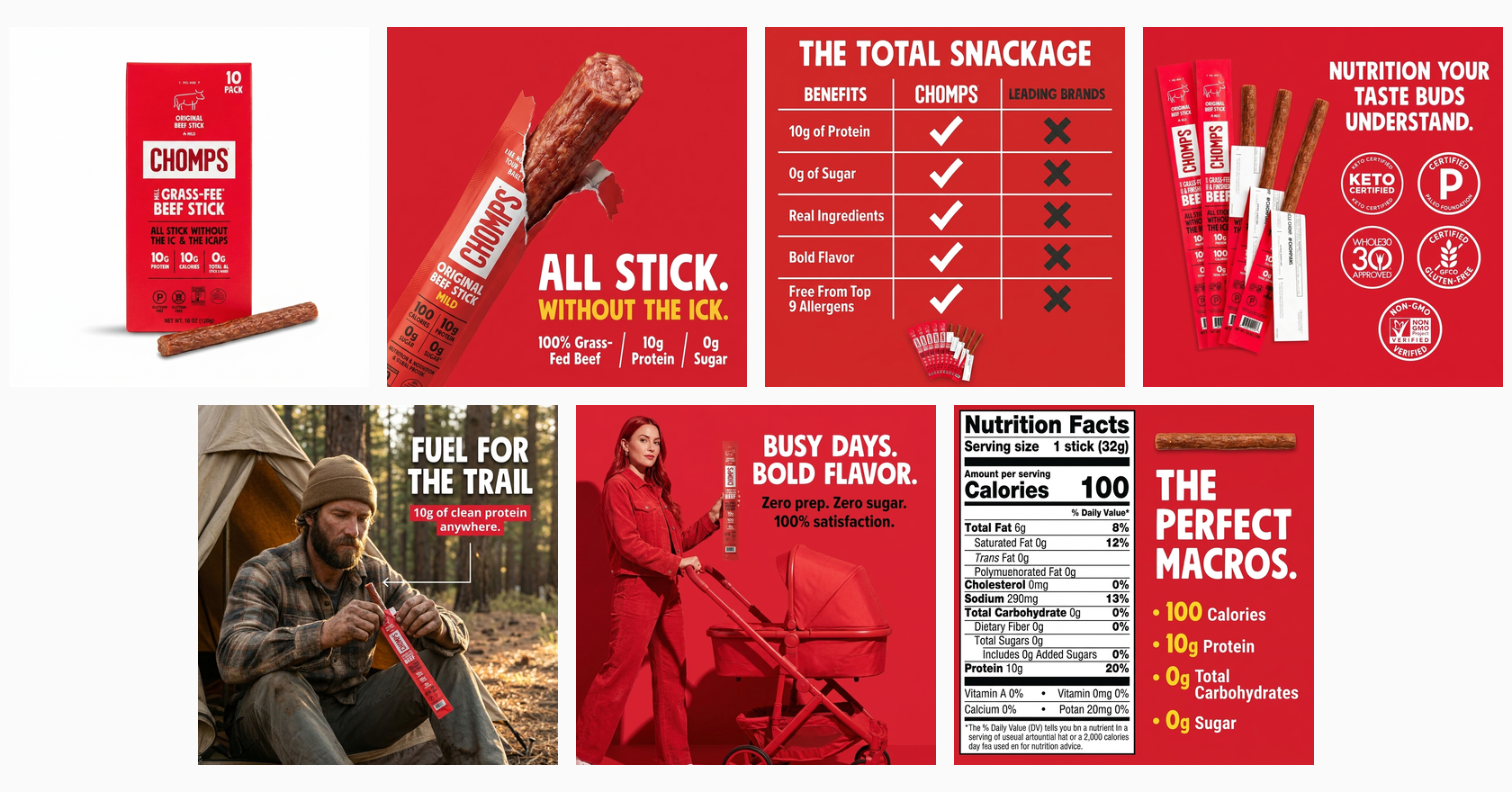
1 ASIN. 7 visuals. 2 minutes. That’s Chomps above — the API designed the main image, key benefits, lifestyle shots, and nutrition callouts.
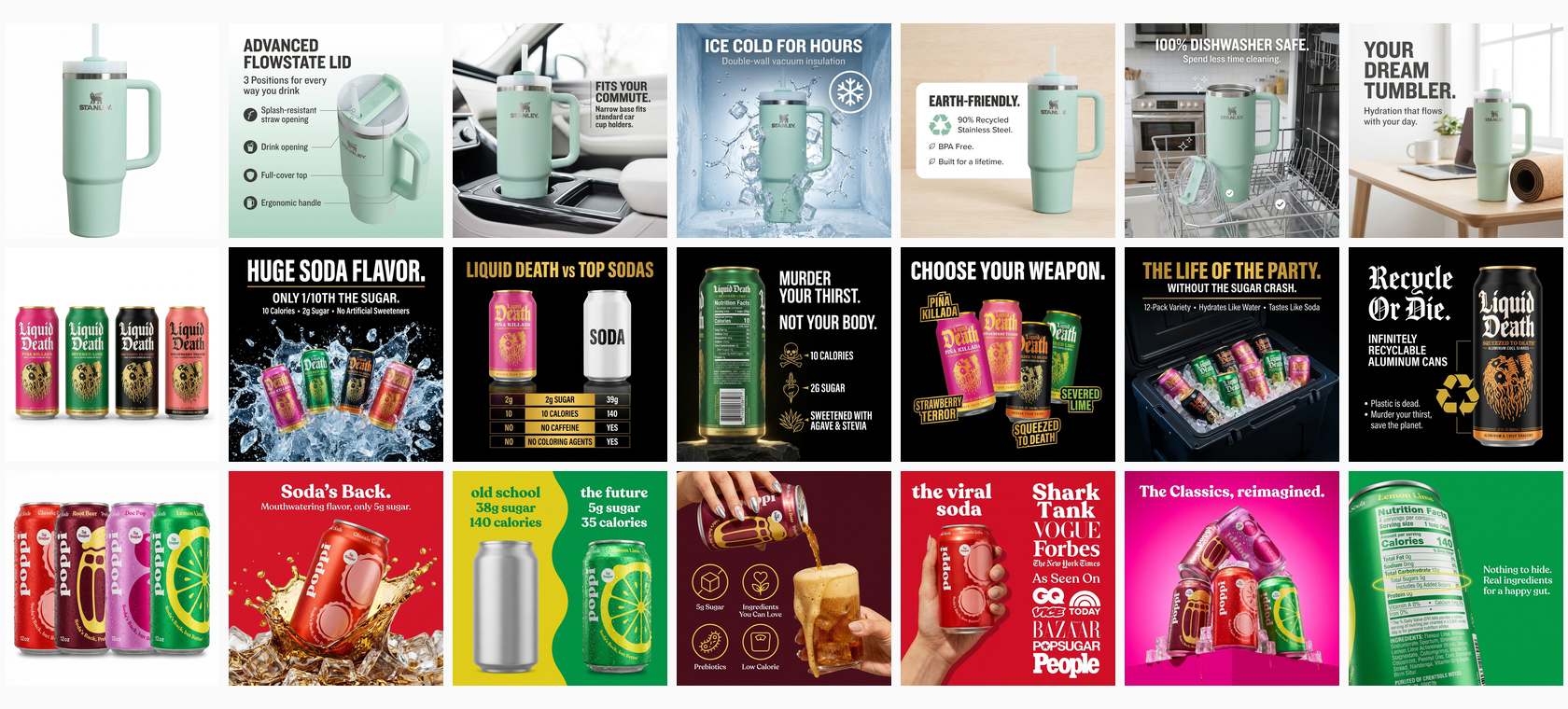
Stanley. Liquid Death. Poppi. 3 completely different products, same API. Each row is 7 images from a single ASIN.
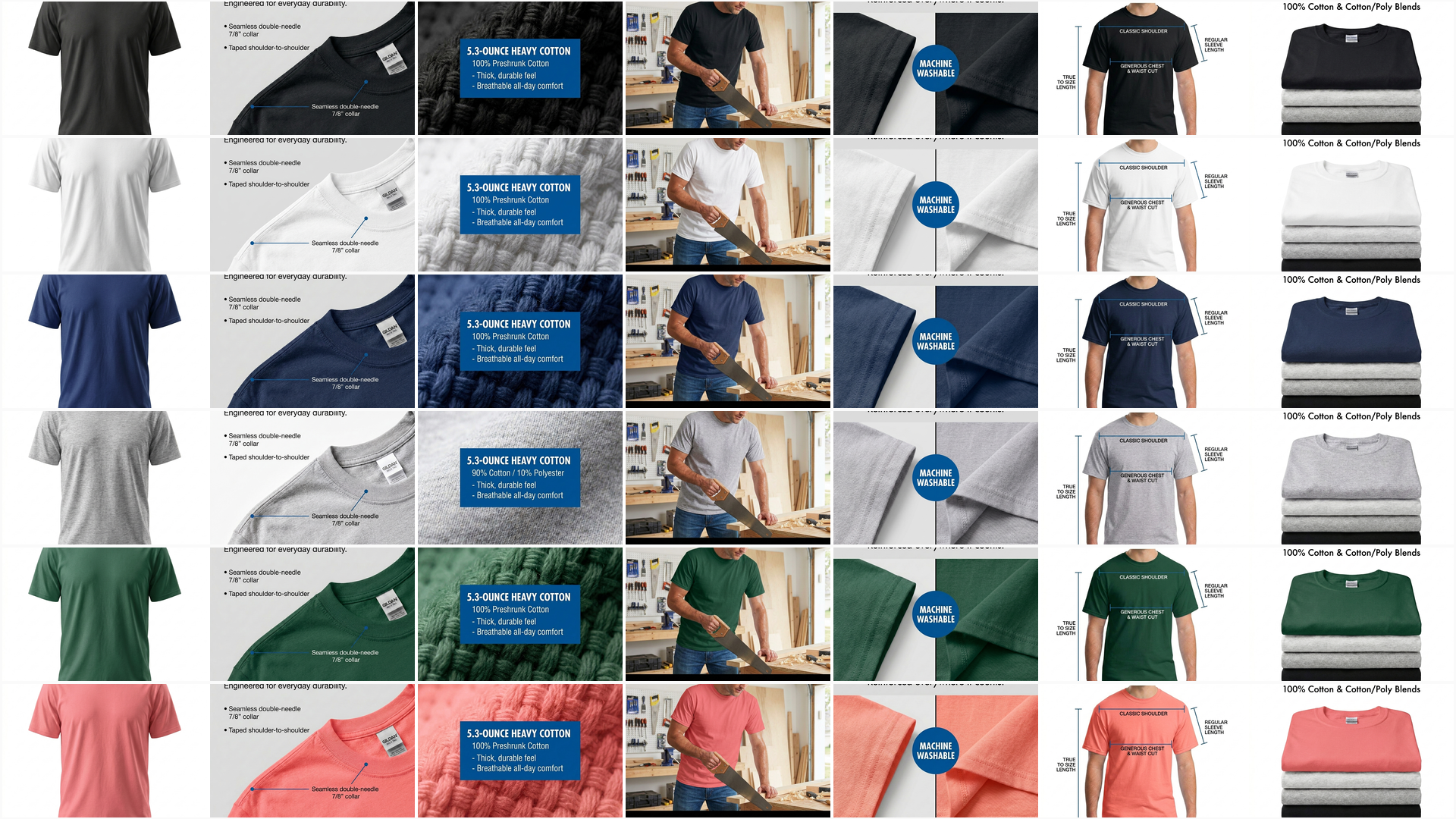
And here’s the Scale endpoint in action — 1 master design for a white Gildan t-shirt, cloned to 6 color variants. Same visual identity across the entire product line.
See more real examples on the Pixii examples page →
What listing types does the API support?
| Platform | Listing type | Images generated |
|---|---|---|
| Amazon | amazon_listing | 7-image set (main + 6 gallery) |
| Amazon | amazon_main_images | Main image variants |
| Amazon | amazon_mobile_listing | Mobile-optimized set |
| Shopify | shopify_listing | Product page image set |
| TikTok Shop | tiktok_listing | TikTok-optimized visuals |
25 country codes supported. US, UK, DE, JP, IN — everywhere Amazon operates.
What does the Pixii API cost?
Pay-per-use. You only burn credits on successful generation with live keys. Test keys are free. Unlimited.
Rate limits: 10 requests/minute, 500/day. That’s your entire catalog overnight.
Full pricing at pixii.ai/api.
FAQ
Is Pixii the only AI listing generator with a public API?
Yes. Pixii is the only REST API for generating complete Amazon listing image sets. Amazon’s AI tools have no API. PhotoRoom and Claid offer image editing APIs, not listing design.
How long does generation take?
About 2 minutes per listing. Submit, poll, download. Test keys return results instantly.
Does it work for platforms other than Amazon?
Yes. Amazon, Shopify, and TikTok Shop. Each generates platform-appropriate formats and dimensions.
What do I need to get started?
An API key from pixii.ai/api. Test keys let you build your integration before spending credits. Full docs at pixii.ai/api-docs.
Do I need to provide product images?
No. Pass an ASIN and country code. Pixii fetches the product data automatically. You can optionally pass custom images to override what Amazon has.
More resources
- Pixii API — overview of what you can build, use cases for SaaS, agencies, and brands
- API documentation — full endpoint reference, authentication, async job pattern
- Real examples — first-try visuals from real ASINs, no editing, no prompts
- Get your API key — join the waitlist and start building