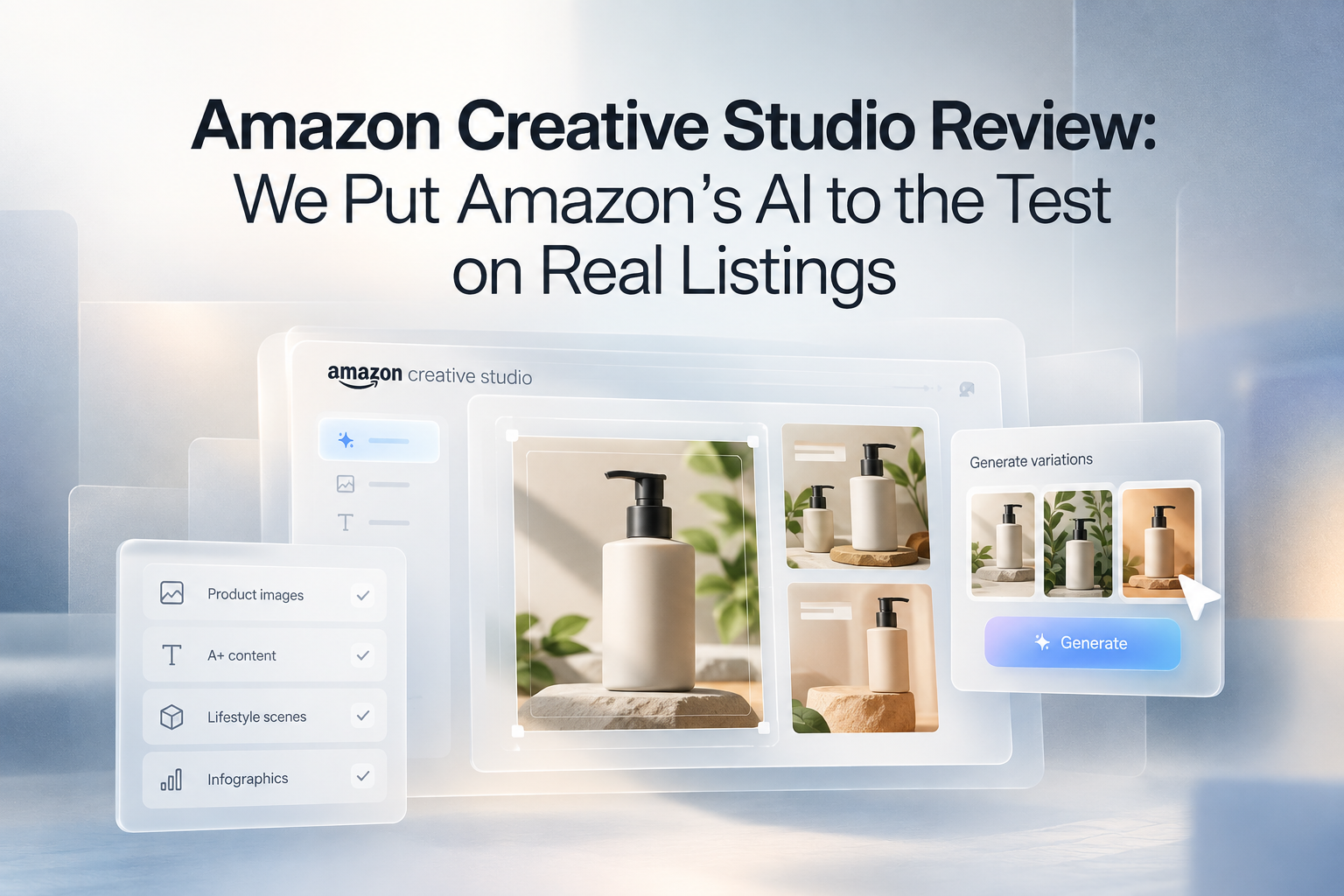
Free is a hard price to argue with, especially next to a listing designer’s invoice. Amazon Creative Studio sits inside your ads console and costs nothing to use.
An honest Amazon Creative Studio review gives it high marks for ad creative, and it deserves every bit of attention it’s getting.
For your listing, it runs out early, and the main image, infographic slots, and A+ Content are still yours to figure out.
Key Takeaways
- Creative Studio earns its place in your ads. It turns a product from your catalog into lifestyle scenes, video, and audio for Sponsored Brands, Sponsored Display, Amazon DSP, and Streaming TV, with no fee to use it.
- Your listing sits outside its job description. The white background main image, the infographic slots, and A+ Content aren’t among the outputs Amazon lists for it.
- Amazon’s best stat hides a catch. Lifestyle scenes beat a plain white background shot in ads, and that plain shot is exactly what your main image has to be.
- Editing works differently. Creative Studio refines through short text prompts. Pixii lets you change one area with Spot Edit or edit the text layer yourself.
- Most sellers should run both. Creative Studio for the ads, Pixii for the listing those ads send shoppers to.
The Verdict in 60 Seconds
Short answer: Amazon Creative Studio is a strong, free tool for Amazon ad creative, especially for lifestyle scenes and video for Sponsored Brands. It isn’t built to produce a full Amazon listing. For the main image, the rest of the image stack and A+ Content, a listing tool like Pixii covers the work Creative Studio leaves out.
| Use Creative Studio for | Look elsewhere for |
|---|---|
| Lifestyle scenes for Sponsored Brands and Sponsored Display ads | A white background main image that follows Amazon’s rules |
| Video and audio ads built through Creative Agent | Infographics and benefit callouts in slots 2 to 7 |
| Free creative without leaving the ads console | A+ Content sized to Amazon’s modules |
| Seasonal versions of an ad you already run | One listing design rolled across hundreds of SKUs |
What Is Amazon Creative Studio?
Amazon Creative Studio, also called Amazon AI Creative Studio or Amazon Ads Creative Studio, is a free creative workspace inside the Amazon Ads console. It holds an Image Generator, a Video Generator, an Audio Generator, and a Creative Agent.
Amazon Ads launched Creative Studio on October 15, 2024, and announced Creative Agent in September 2025.
Everything it makes is meant for ad placements such as Sponsored Brands, Sponsored Display, Amazon DSP, and Streaming TV.
Finished work saves to the creative assets library in your ads console, ready to drop into a campaign. That one design choice explains most of its strengths and most of its limits.
Who can use it and what it costs
Amazon lists its creative tools as free to use for advertisers, with no separate subscription. You pay normal media costs once a campaign runs.
Access depends on your marketplace and account, and the US usually gets new features first.
Sellers also need Brand Registry to run Sponsored Brands, the placement where most of its lifestyle scenes are made for.
Creative Studio, Creative Agent, and Seller Central AI: which is which
Amazon now runs several AI tools with overlapping names, and each one touches a different part of your business.
| Tool | Where it lives | What it makes |
|---|---|---|
| Creative Studio | Amazon Ads console | Ad images, video, and audio for sponsored placements |
| Creative Agent | A chat inside Creative Studio | Full ad campaigns from a brief, from concepts and taglines to finished video |
| Listing creation tool | Seller Central | Titles, bullets, and descriptions from a few words, a photo, or a URL |
| Enhance My Listing | Seller Central | Suggested updates to titles, bullets, attributes, and descriptions on live listings |
The two Seller Central tools write listing copy, and Amazon added Enhance My Listing for live listings in May 2025.
Your main image and gallery still come from you or your designer, and A+ Content has its own builder in Seller Central.
One number is worth knowing before you rely too heavily on these tools. Amazon says sellers accept its AI-generated listing text without edits more than 90% of the time, but as TechCrunch noted, that number reflects acceptance, not accuracy.
What Amazon Creative Studio Does Well
Lifestyle scenes for ads
Amazon’s AI image generator is built for one job.
You select a product, click Generate, and get a set of lifestyle and brand-themed scenes based on the listing details, which you can refine with short text prompts.
The payoff is real. In Amazon’s announcement, a toaster on a kitchen counter got a click-through rate up to 40% higher than the same toaster on white, in mobile Sponsored Brands ads.
Look closely at that comparison, though:

The image that loses is the white background shot Amazon requires for your main image, so the format that wins in ads is one your main slot can’t use.
Video and audio with Creative Agent
Creative Agent is the strongest part of the tool.
You describe the product and the goal in a chat, and it comes back with concepts and taglines, explains its thinking, and then storyboards the campaign scene by scene.
Once you pick a direction, it writes the script, generates the scenes, adds voiceover and music, and assembles video for Sponsored Brands, Sponsored Display, DSP, and Streaming TV.
For video ads that run inside Amazon Ads, it’s the best free place to start.
Where Creative Studio Stops for Amazon Listings
A listing needs a main image, six more slots in the image stack, and, for brand-registered sellers, A+ Content (the enhanced section further down the listing).
Each slot has its own rules and its own job.
| Listing element | What the slot needs | Covered by Creative Studio? |
|---|---|---|
| Main image | White background, product only | No. Its scenes put the product in a setting |
| Lifestyle slots | An accurate product, at least 1,000 pixels on the longest side for zoom | Partly. Scenes can fit if they show the product accurately |
| Infographic slots | Benefit callouts, comparisons and size cues that read on a phone | Not among the outputs Amazon lists |
| A+ Content | Fixed module sizes, built in Seller Central | No. It lives in the A+ Content builder |
| Title and bullets | Written in Seller Central | No. Amazon’s listing creation tool handles copy |
| Sponsored ads | Specs for each placement | Yes. This is its core job |
The main image
The main image is the first photo shoppers see in search.
Amazon’s image requirements call for a pure white background (RGB 255, 255, 255), a product that fills at least 85% of the frame, and no text, logos, or props that don’t ship with it.
If the main image is your weak spot, our roundup of main image tools compares ten options built for that slot.
Image stack slots 2 to 7
Slots 2 to 7 do most of the selling, with infographics, benefit callouts, scale shots, and lifestyle scenes.
Amazon describes Creative Studio’s outputs as lifestyle images, video, and audio, so the text-heavy slots are yours to plan and design elsewhere.
A+ Content
A+ Content comes in fixed module sizes, and the modules have to read as one story while a shopper scrolls.
Amazon lists Creative Studio’s outputs for ad placements, and A+ Content isn’t on that list.
Pixii adds A+ Content in one click, pre-sliced to the sizes Amazon requires. Our gallery of A+ Content examples shows desktop and mobile versions side by side.
Want to see it in action? The video below walks through creating Amazon A+ Content with AI in minutes, no designer needed.
Where Pixii Fits Next to Amazon Creative Studio
Every click Creative Studio wins lands on your listing. Pixii is the AI designer we built for that listing, and it picks up where Creative Studio stops.
Paste an ASIN or a product photo, and we read your listing, your reviews, and the competitors sitting next to you in search. That’s where your buyers’ real questions and doubts show up.
Pixii turns what it finds into a short strategy for your buyer, then designs seven editable visuals around it in about two minutes, starting with the main image.
You never write a prompt, and you can change any word on any design.
Every file exports ready for upload. Behind it all is training on roughly 100,000 top-performing Amazon listings.
Creative Studio brings shoppers in, and Pixii gives them a reason to buy.
Can You Download Creative Studio Images and Use Them on Your Listing?
Guides online disagree on this one.
Amazon Ads says Creative Studio is a place to develop, save, and download work to your creative library, so getting a file out is possible.
Using it is where the rules kick in. A lifestyle scene can’t be your main image, because the main image needs a white background with nothing else in the frame.
Scenes can work in secondary slots if they show the product accurately and run at least 1,000 pixels on the longest side, which Amazon prefers, so shoppers can zoom.
Check each file against the rules for your category before you upload.
How Editable Is the Output?
Every AI tool gets details wrong, so the time that counts is the time spent fixing.
A wrong word on a callout or a label color that’s slightly off can eat more time than the first draft did.
Amazon describes refining Creative Studio images with short text prompts, and Creative Agent lets you step in and change details as it builds a campaign.
Both work through requests to the AI.
In Pixii, Spot Edit lets you draw a box over one area and regenerate only that part. Convert to Layers turns a design into editable text and elements, so you retype a claim yourself instead of asking for a new version.
John Aspinall of Aspi described the trade honestly: “Pixii gets you from zero to 85%. That’s where the hours get chewed up.”
The last stretch is still yours, and editability decides how long it takes.
Accuracy and Compliance: What to Check Before You Upload
AI product visuals tend to slip in the same places. Watch for color shifts, changed label text, wrong scale, and props that don’t ship with the product.
The stakes are higher on the listing than in an ad.
Amazon’s rules say that images that violate its policies can have a listing suppressed from search, and main images must show the actual product, with no drawings or renderings standing in for it.
No tool can guarantee Amazon compliance, and neither of these claims does.
Pixii is trained on roughly 100,000 top-performing Amazon listings, which helps, but check every design against the rules for your country and category.
Scaling Across a Catalog
If you run a dozen brands or sell 1,000+ SKUs, every color, size, and flavor needs the same look, and all of it needs a refresh each season.
Amazon describes Creative Studio as working on one product at a time, starting from a single item you select.
We built Pixii to handle the whole catalog. You design one master listing, and Clone copies that look to every variant.
For bigger batches, the Factory turns one listing into many, and on the Scale plan, it designs 50 listings in about 20 minutes.
If you have hundreds of ASINs, the Pixii API takes them in one batch and sends back designs as each one is ready. Kari Thomas of Skin Perfection put it in numbers: “We designed 80 listings this week. An agency would charge $240,000 for that.”
Amazon Creative Studio vs Pixii: Side by Side
| Amazon Creative Studio | Pixii | |
|---|---|---|
| Built for | Amazon ad placements | Amazon listings |
| Starting input | A product from your catalog, plus text prompts or a chat brief | An ASIN or a product photo, zero prompts |
| Main image | Not designed for a white background main image | Included, on a white background |
| Slots 2 to 7 | Lifestyle scenes | Seven designs built from one buyer strategy |
| A+ Content | Not among its outputs | One click, pre-sliced to Amazon’s sizes |
| Video ads | Strong. Creative Agent builds full video and audio ads | Not an ad campaign tool |
| Editing | Refine with short text prompts | Spot Edit and Convert to Layers |
| Catalog scale | Starts from one selected product | Clone, the Factory, and the API |
| Cost | Free for Amazon Ads advertisers | Free Trial with no credit card, then paid plans |
| Where you use it | Inside Amazon Ads campaigns | Exported for Amazon upload |
Creative Studio wins two rows outright, cost, and video ads. If those are your priorities, it’s the right tool, and you can compare Pixii’s plans for the listing side.
Pros and Cons of Amazon Creative Studio
What it does well
- It’s free. No subscription and no fee to generate.
- It lives in the ads console. Finished work goes straight into campaigns.
- Creative Agent handles video end-to-end. A chat brief becomes a storyboarded, voiced video ad.
- Its scenes perform in ads. Amazon reports click-through rates up to 40% higher in mobile Sponsored Brands ads.
Where it falls short for listings
- It’s built for ad placements. The main image, infographic slots, and A+ Content sit outside its job.
- Edits run through prompts. You ask for changes instead of editing text and elements directly.
- Access varies. Features roll out by the marketplace, and sellers need Brand Registry for Sponsored Brands.
Who Should Use Creative Studio, and Who Needs More
| You are | Best fit | Why |
|---|---|---|
| A PPC agency running Sponsored Brands for clients | Creative Studio | Free ad scenes and video, made where the campaigns live |
| A single brand seller who only needs ad creative | Creative Studio | Covers the ads at no extra cost |
| An agency building listings for many brands | Pixii | Seven editable designs per ASIN, with Clone and the Factory for volume |
| A brand with 1,000+ SKUs | Pixii | One master listing rolled out across every variant |
| Anyone launching or refreshing a listing | Both | Pixii for the listing, Creative Studio for the ads that send traffic to it |
The two tools barely overlap. Creative Studio fills your ad slots for free, and Pixii builds the listing that those ads point to.
Amazon Creative Studio FAQ
Is Amazon Creative Studio Free?
Yes. Amazon lists Creative Studio and Creative Agent as free for Amazon Ads advertisers, with no separate subscription. You still pay normal media costs when you run the ads it creates. Features vary by marketplace, and sellers need Brand Registry for Sponsored Brands.
Can I Use Creative Studio Images on My Product Listing?
Not as your main image. Amazon requires a pure white background with only the product in frame, and Creative Studio places products in scenes. A downloaded scene can work in a secondary slot if it shows the product accurately and runs at least 1,000 pixels on the longest side.
Can Amazon Creative Studio Make A+ Content?
Amazon lists Creative Studio’s outputs for ad placements, and A+ Content isn’t one of them. A+ Content is built in its own Seller Central builder with fixed module sizes. Pixii adds A+ Content to a listing in one click, pre-sliced to the sizes Amazon requires.
Is Creative Agent the Same as Creative Studio?
No. Creative Studio is the whole workspace in the Amazon Ads console, with image, video, and audio generators. Creative Agent is the chat assistant inside it. You give it a brief, and it proposes concepts, writes the script, storyboards the scenes, and assembles finished ads.
Will Amazon Reject AI-Generated Listing Images?
It can. Every image has to accurately represent the product for sale, and main images must show the actual product on pure white, with no drawings or renderings standing in for it. AI tools can shift colors or change label text, so check every output before you upload.
What’s the Best Amazon AI Creative Studio Alternative for Listings?
Look for a tool built around the listing that covers the main image, the full image stack, and A+ Content in designs you can edit. Pixii turns an ASIN into seven editable designs in about two minutes, trained on roughly 100,000 top-performing Amazon listings. Keep Creative Studio for your ads.
Build the Listing Creative Studio Doesn’t: Paste Your ASIN
Keep Creative Studio for your ads. It’s free, and it lives where your campaigns already run.
Paste your ASIN into Pixii for the listing itself. You’ll get seven editable designs in about two minutes, starting with the main image, plus the strategy behind each one.
If you’d rather see what’s wrong with your current listing first, the free Amazon Listing Grader scores it from A to F against 100,000 top-performing Amazon listings.