
Big brands do 400+ photoshoots a year. Don’t have the budget for that?
Let Pixii be your secret weapon.
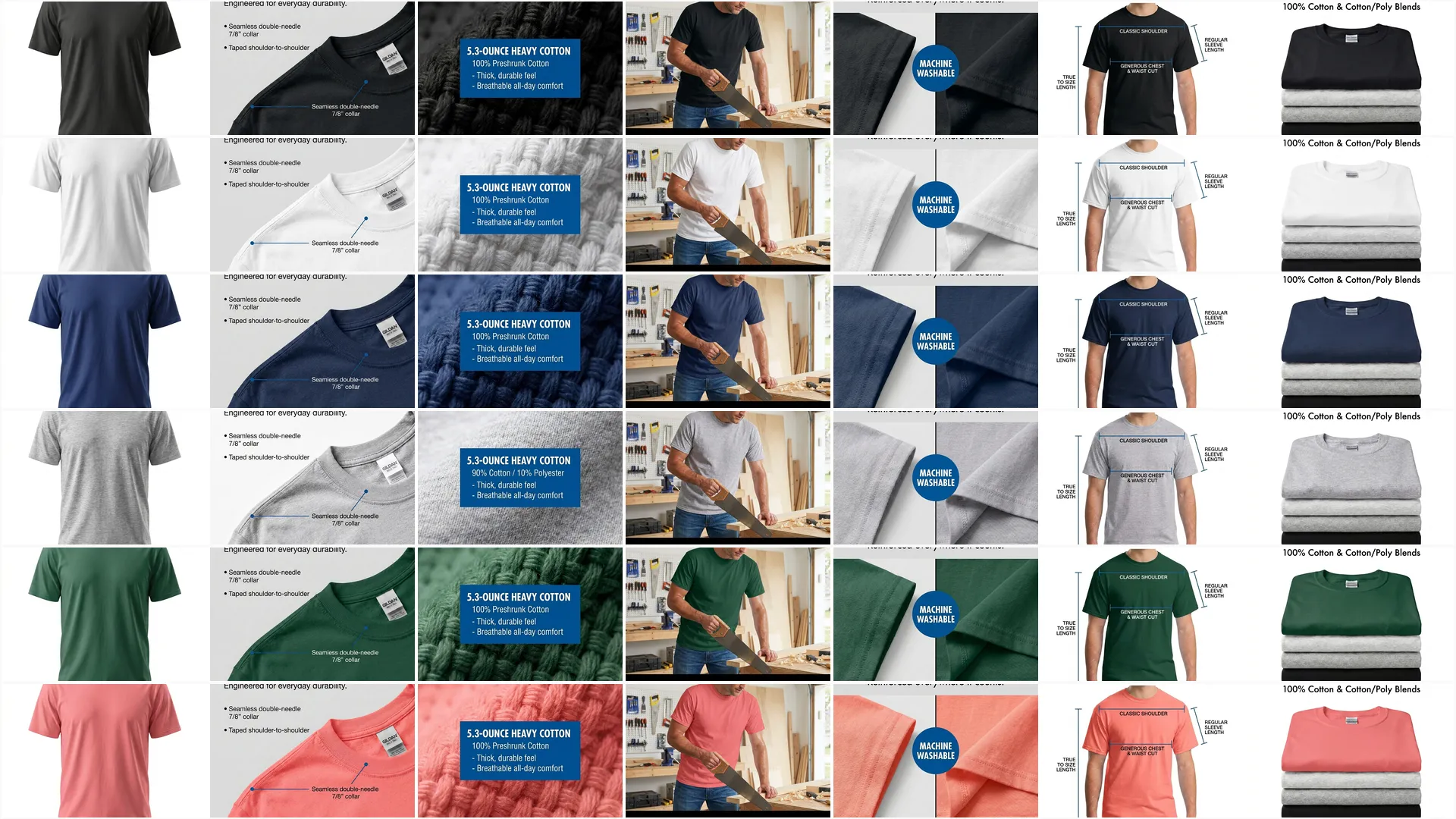
Get 1 clean photo and turn it into 100+:
- Lifestyle shots
- How-to graphics
- Ads and social posts
- Amazon, Shopify, and TikTok Shop listings
This is how David takes on Goliath.
Shoot once. Use everywhere.
What to Get
(Screenshot this. Send it to your photographer.)
- Real product, clean and sharp
- Full product in frame (no cropping)
- Front-facing or ¾ angle
- Neutral background: white, beige, or gray
- Soft shadow on the surface
- Multiple angles (front, back, detail, angled)
- High resolution (min 2000 px wide)
- No filters, no compression
What to Avoid
- Cropped or partial products
- Harsh flash, deep shadows, blown highlights
- Busy or textured backgrounds
- Props in the hero image
- Top-down shots
- Over-edited or heavily color-shifted images
Deliverables Checklist
1. Hero Shot
- Straight-on or slight ¾ angle
- Full product, in focus, centered
- Plain background, soft shadow
2. Alt Angles
- Side and back
- Close-up for texture or labels
- One wide frame with negative space (good for text overlays or AI crops)
3. Export Specs
- 2000 px or higher
- Full-res JPG or PNG
- Consistent lighting across every image
- No aggressive compression, no auto color edits
Core Principles
- Keep it clean – E-comm buyers trust clarity over creativity
- Shoot like a template – Consistency across products shows professionalism
- Avoid distractions – Props distract buyers, get flagged by algorithms (esp. Amazon), and confuse AI
- Think reusability – One good shoot can power Shopify, Amazon, Meta ads, and more
Photographer Appendix (Tech Reference)
(You probably know this. Including for reference.)
Camera Settings (Ideal)
- Shoot RAW for color flexibility
- Lens: 50 mm or 85 mm prime (on full-frame)
- Aperture: f/8–f/11 for full sharpness
- ISO: ≤ 400
- Shutter: 1/125 or faster
- White balance: lock at 5600K or use gray card
- Color profile: neutral/flat (no built-in contrast or sharpness)
Lighting Setup
- One soft key light at 45° (LED panel or softbox)
- One fill light or bounce board on the opposite side
- No mixed lighting temperatures
- Keep shadows soft but present. Levitating product confuses algorithms.
Framing & Background
- White or neutral paper/foam board
- Avoid seamless sweeps (the horizon between floor and wall helps AI understand the product’s physics)
- No tilt, no vignette
- Leave margin on all sides
Extra Credit
- Third rim light for subtle edge separation
- 360° turntable sequence if needed
- Duplicate key shots on light gray as backup
This one shoot should give you 20+ pieces of usable content.
Want to Go Deeper?
📸 How to Take a Great Product Photo With Your Phone
🧾 How to Brief a Photographer for a Shoot