
Better input -> better output
This is the #1 issue beginners face in Pixii.
Learn how to pick a great photo (or take one using your phone).
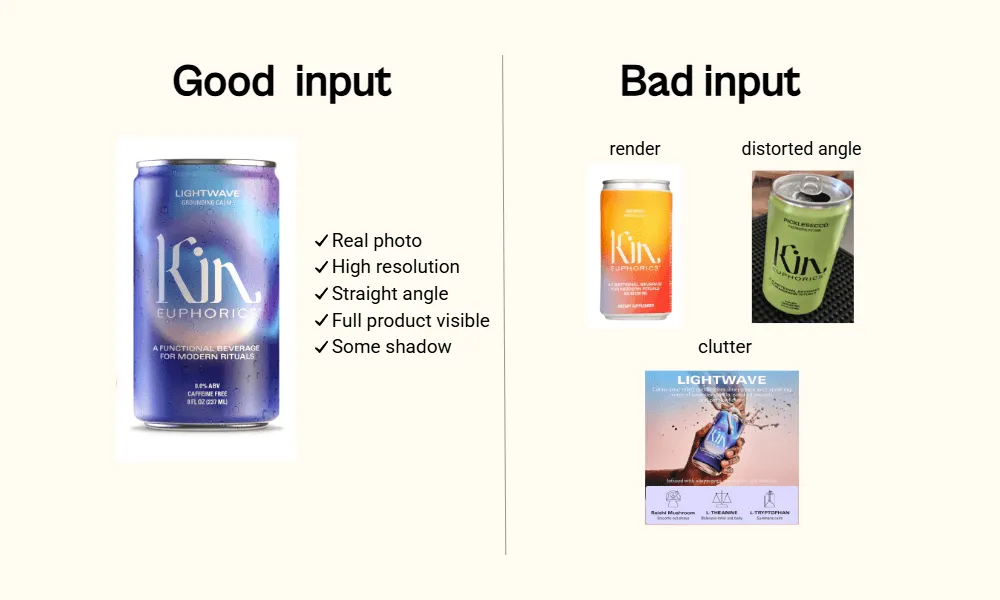
What works
Here is what makes a great input photo:
- Real photo (not a mockup or render)
- High resolution
- Full product
- Front-facing or ¾ angle
- Clean background
- No wrinkles, reflection, or blur
- Some shadow
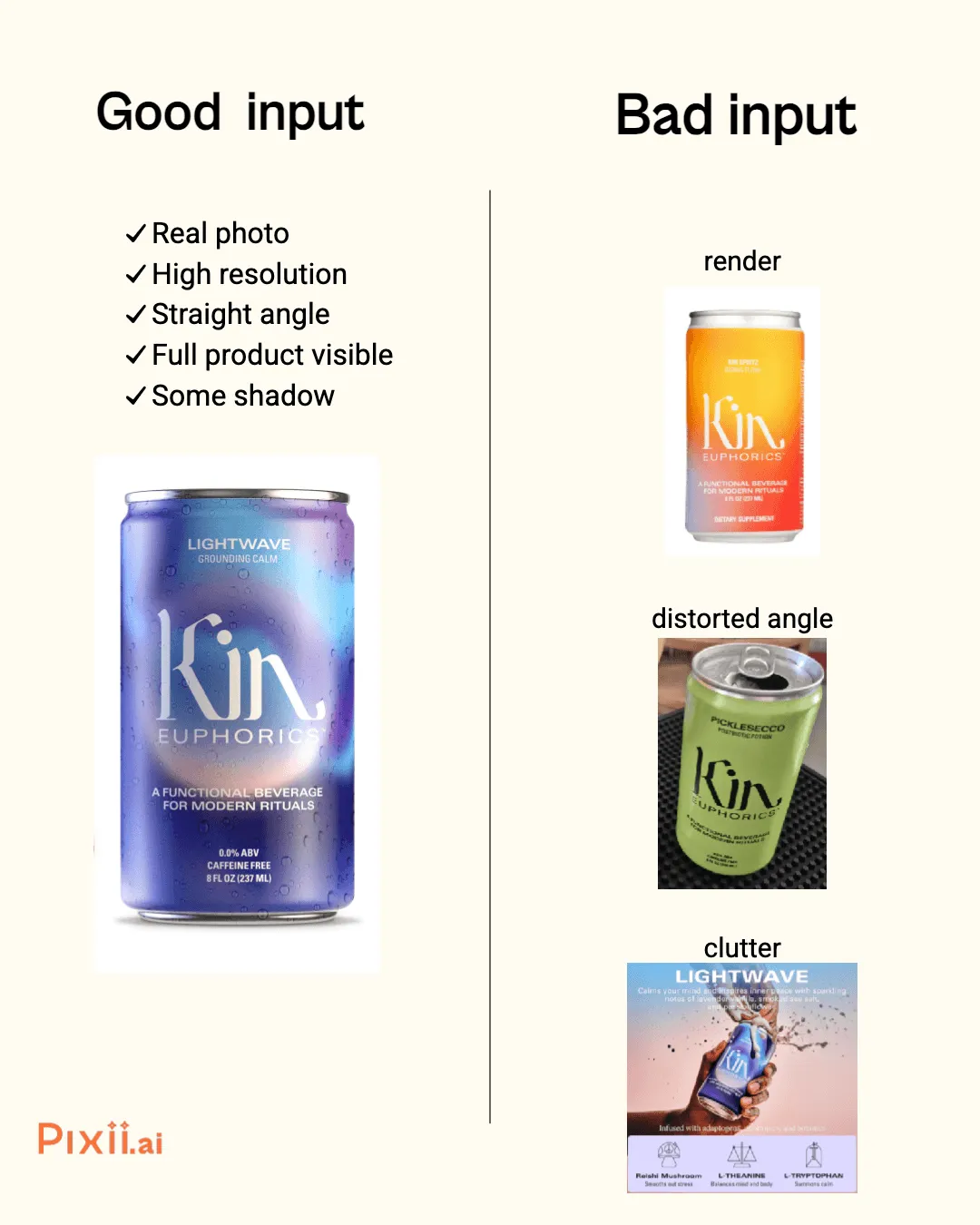
Avoid this
These things cause problems:
- Mockup, render, AI image, or screenshot
- Blurry, pixelated, or low-res
- Product cut-off or cropped tightly
- Top-down, tilted, or distorted
- On busy backgrounds (e.g. props, designs)
- Product distorted by wrinkles, reflections or blur
- No shadow (background removed or floating)
Why you’re getting bad results in Pixii
Pixii doesn’t “fix” your photo, it builds on it.
Here are the most common photo issues and how they affect Pixii’s output:
- Mockup, render, or screenshot These lack real-world detail, so the AI has to “guess” what’s there. This leads to inaccurate or altered products.
- Blurry, pixelated, or low-res Pixii can’t find edges or fine details, resulting in mushy outputs, distorted packaging, and missing text.
- Product cut-off or cropped tightly The AI guesses the missing parts, often creating warped shapes or bad proportions in lifestyle scenes.
- Top-down, tilted, or distorted These angles break perspective. The AI struggles to place your product naturally in 3D environments.
- Busy backgrounds (e.g. props, patterns, clutter) The AI may mistake background elements as part of the product.
- Wrinkles, reflections, or blur on the product These distort the product’s shape or surface, confusing the AI.
- No shadow (floating or background removed) Shadows help the AI understand physical context — without them, products may look like they’re floating or oddly placed.
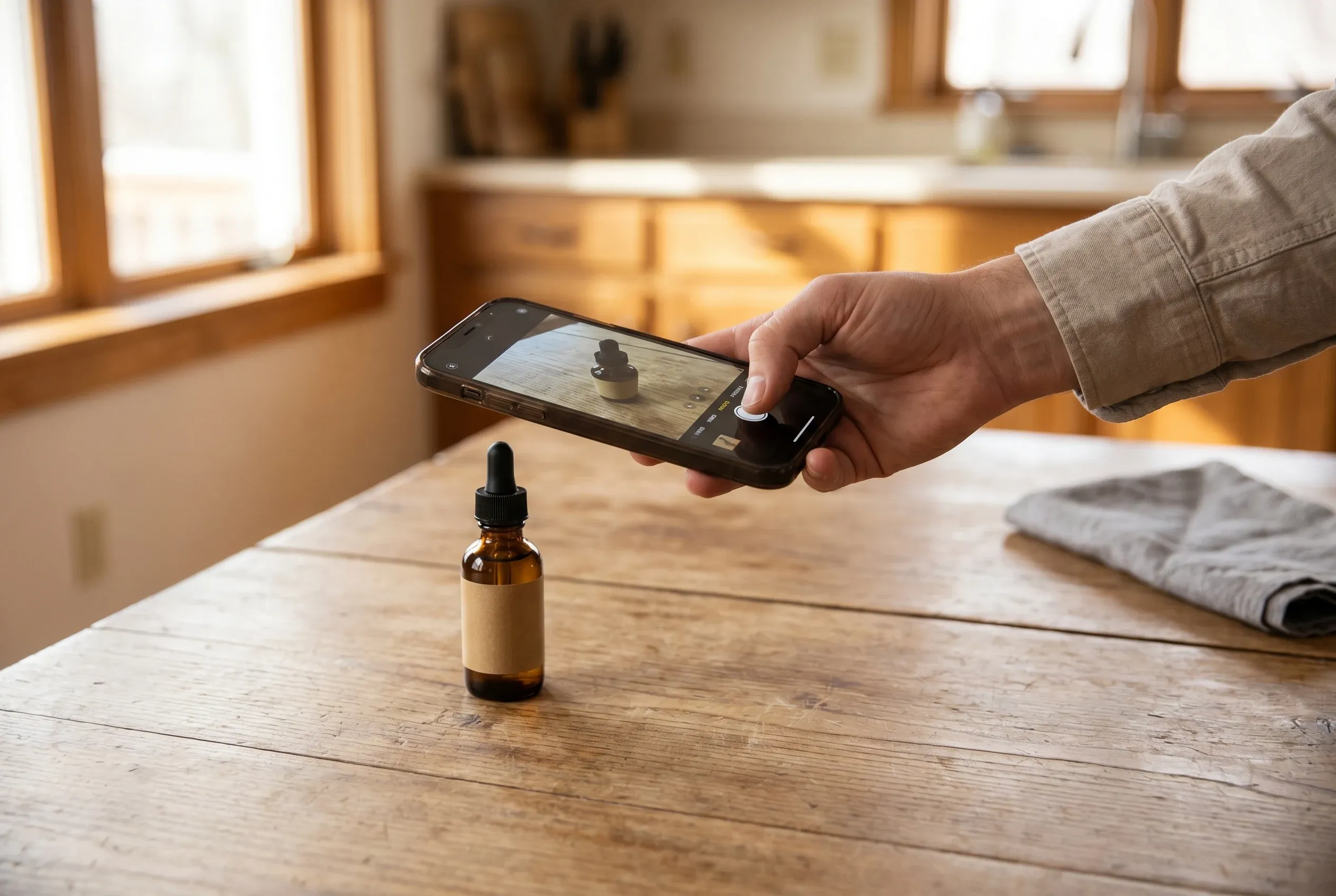
Take a photo with your phone
Can’t find a photo that checks all the boxes?
Take one with your phone. See our how-to guide.
Want to Go Deeper?
📸 How to Take a Great Product Photo With Your Phone
🧾 How to Brief a Photographer for a Shoot
💡 How to Upgrade Your Phone Shoots for $200
Authors: Monte Desai(Founder @ Pixii)