Your A+ Content came back rejected, the review took six business days, and you still don’t know which word did it.
It was probably “guaranteed”. Or “new”. Or a price. Amazon’s A+ guidelines ban more words than most sellers expect, and every rejection sends you to the back of a queue that can run seven business days.
So this template comes with the checklist attached.
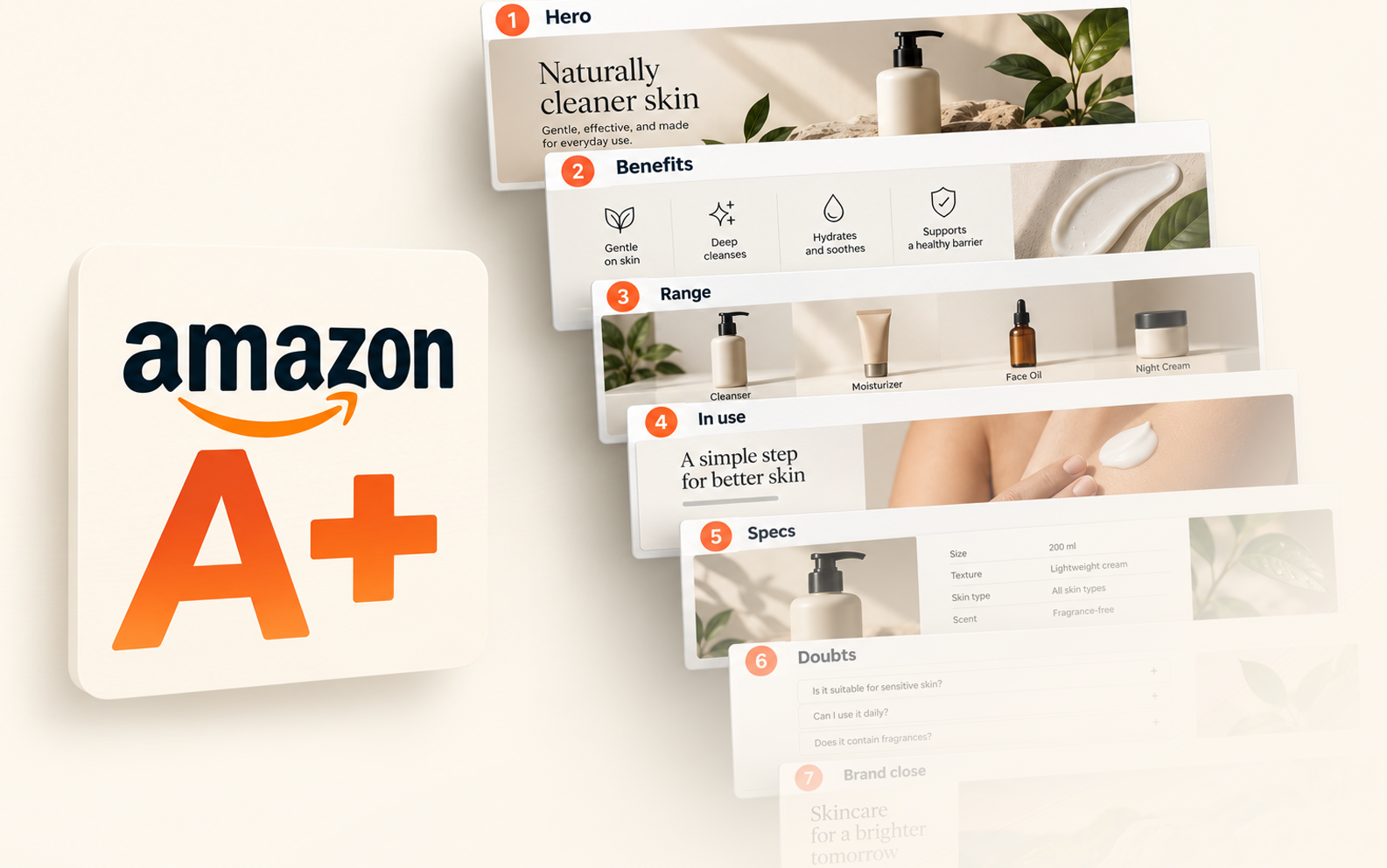
Seven modules in the order shoppers read them, the exact sizes Amazon lists, and the words that get a module bounced before anyone sees it.
Build it once, correctly, and the first review is the only one you need.
Key Takeaways
- A+ Content has an order that works, and it starts with a hero. Seven slots for Premium and five for Basic, each answering one question a shopper asks as they scroll.
- Amazon’s own numbers justify the afternoon. Amazon says Basic A+ can lift sales by up to 8% and Premium by up to 20%, based on its internal data.
- Sizes decide whether your text survives a phone screen. Premium full-width modules take a 1464 by 600 desktop image and a separate 600 by 450 mobile one.
- Most rejections come from words, not pictures. Prices, guarantees, competitor mentions, and anything time-sensitive will get a module bounced.
- Pixii builds the whole template in one click. Paste an ASIN and the modules come back sliced to Amazon’s sizes, Basic or Premium, ready for Seller Central.
What Is Amazon A+ Content?
Short answer: Amazon A+ Content is the image and text section that sits below the bullet points on a product listing, built from modules in Seller Central’s A+ Content Manager.
Basic A+ allows up to five modules per ASIN and is free for Professional sellers. Premium A+ allows up to seven, adds video, carousels, hotspots, and Q&A, and is free for brands that meet Amazon’s criteria.
An ASIN is Amazon’s identifier for one product listing, and A+ Content attaches to it. The same A+ project can be applied to several ASINs, which matters once you have variations.
Amazon describes the payoff plainly in its A+ Content guide.
Basic A+ Content can increase sales by up to 8%, and well-implemented Premium A+ Content by up to 20%, both footnoted to Amazon internal data.
Those are ceilings, not promises. The lift comes from answering the questions a shopper still has after the bullets, and that’s what the template is built around.
Basic, Premium and Brand Story
Basic A+ is the module set every Professional seller can use on brand-owned ASINs, and since January 2024, Amazon also allows it on generic ASINs without Brand Registry.
Premium A+ adds larger modules, video, interactive hotspots, carousels, and a Q&A block.
Amazon’s published criteria are a Brand Story live on all your brand-owned ASINs and five approved A+ submissions in the past 12 months.
Brand Story is a separate carousel that appears in its own From the brand section. It’s about who you are, while A+ is about the product, so the template treats them as two different jobs.
The Day-One A+ Content Template
Shoppers scroll A+ Content with a question in mind at each stage, and a module that answers the wrong question in the wrong place gets skipped. The template puts one question per slot.
Premium gets all seven slots. Basic drops the comparison carousel and the Q&A and uses the remaining five.
| Slot | Premium module | Basic module | The question it answers |
|---|---|---|---|
| 1. Hero | Full Image, 1464 x 600 | Image Header With Text, 970 x 600 | Is this the product I searched for? |
| 2. Benefits | Four Images & Text, 300 x 225 each | Four Image & Text, 220 x 220 each | What does it do for me? |
| 3. Range | Comparison Table 1, 200 x 225 per product | Comparison Chart, 150 x 300 per product | Which one of yours should I buy? |
| 4. In use | Simple Image Carousel, 1464 x 600 per panel | Three Images & Text, 300 x 300 each | How do I use it and where does it fit? |
| 5. Specs | Technical Specifications, 4 to 16 rows | Technical Specifications, 4 to 16 rows | Will it fit, and is it compatible? |
| 6. Doubts | Q&A, 2 to 5 questions | Standard Text, 5,000 characters | What’s the catch? |
| 7. Brand close | Background Image with Text, 1464 x 600 | Image & Dark Text Overlay, 970 x 300 | Who makes this, and why should I trust them? |
Sizes are the minimums Amazon lists in its module guides, covered in detail further on.
Build at twice the minimum where you can, since Amazon shrinks large files and never enlarges small ones.
Slot 1. The hero that confirms the search
The first module has one job, which is to confirm that the shopper landed on the right product.
Show the product large, in the setting it’s used in, with the one benefit that made them click.
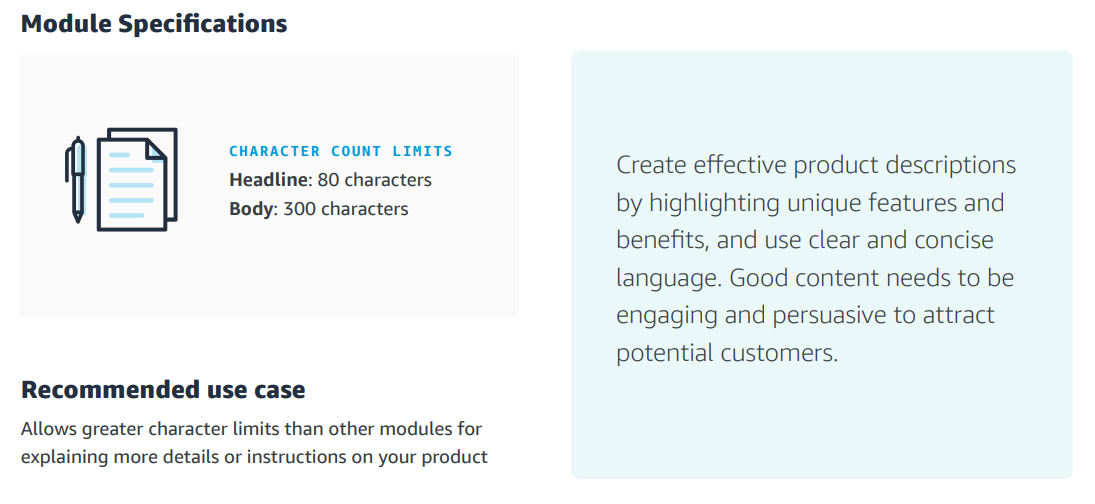
On Premium, the Full Image module takes an 80-character headline and 300 characters of body.
On Basic, Image Header With Text takes a 150-character headline and up to 6,000 characters of body, and almost nobody should use more than 300 of them.
Slot 2. Four benefits, four images
Pick the four reasons your reviews mention most and give each one a picture.
Premium’s Four Images & Text takes a 30-character headline and 150 characters per block, so every word has to earn its place.
The Basic version allows a 160-character headline and up to 1,000 characters per block. Treat that as room you don’t need rather than room to fill.
Slot 3. The range, so they don’t leave to compare
A comparison chart keeps the shopper inside your catalog when they wonder about a bigger size or a different flavor.
Premium’s Comparison Table 1 holds four to seven products and five to twelve features, and Basic’s Comparison Chart holds up to six ASINs.
Link every column to a live ASIN you own. Amazon rejects references to other brands here, so this is a chart of your own range only.
Slot 4. The product in use
Lifestyle scenes do more work here than anywhere else on the page.
Premium’s Simple Image Carousel takes two to six panels at 1464 by 600, each with a 50-character headline and 200 characters of text.
On Basic, Three Images & Text does the same job at 300 by 300 per image. Those three stack vertically on a phone, so order them top to bottom in the sequence you want read.
Slot 5. Specs in a table, not a paragraph
Technical Specifications holds four to sixteen rows, each with a 30-character label and a 500-character definition.
Dimensions, materials, compatibility, and what’s in the box belong here, where a shopper can scan instead of read.
Slot 6. The doubts, answered before the reviews do it for you
Premium’s Q&A module takes two to five questions at 120 characters each, with 250-character answers.
Pull the questions from your one-star and three-star reviews, since those are the doubts that cost you the sale.
Basic has no Q&A module, so use Standard Text with a short headline and the same questions written as plain statements.
Slot 7. The brand close
End on the brand itself.
One full-width image with a line about who you are and what you stand behind.
Keep any guarantee language out of it, because Amazon removes warranty and return claims from A+ on review.
Amazon A+ Content Dimensions and Character Limits
Every size in the template traces to an Amazon document.
Premium specs come from Amazon’s Premium module guide, and Basic minimums from Amazon’s developer documentation for the same modules.
| Module | Minimum image size | Text limits |
|---|---|---|
| Standard Company Logo | 600 x 180 | Alt text 100 |
| Standard Image Header With Text | 970 x 600 | Headline 150, body 6,000 |
| Standard Image & Dark or Light Text Overlay | 970 x 300 | Headline 70, body 300 |
| Standard Single Image & Sidebar | 300 x 400 main | Headline 160, body 500 |
| Standard Single Left or Right Image | 300 x 300 | Headline 160, body 1,000 |
| Standard Three Images & Text | 300 x 300 each | Headline 160, body 1,000 each |
| Standard Four Image & Text | 220 x 220 each | Headline 160, body 1,000 each |
| Standard Comparison Chart | 150 x 300 per product | Up to 6 products, 10 rows |
| Premium Full Image | 1464 x 600, mobile 600 x 450 | Headline 80, body 300 |
| Premium Four Images & Text | 300 x 225 each | Headline 30, body 150 |
| Premium Comparison Table 1 | 200 x 225 per product | 4 to 7 products, 5 to 12 features |
| Premium Simple Image Carousel | 1464 x 600 per panel, mobile 600 x 450 | 2 to 6 panels, headline 50, body 200 |
| Premium Q&A | 1464 x 600 | 2 to 5 questions, question 120, answer 250 |
| Premium Full Video | Preview 1464 x 600, video 960 x 540 minimum | MP4, 200 MB, 180 seconds |
File rules apply to every module. Amazon accepts JPG, PNG, and BMP in RGB, at 72 dpi or higher, under 2 MB per file, with no animated images.
Seller Central’s upload window is the final word.
If a module in the editor shows a different minimum from the table, the editor wins, because Amazon updates modules faster than it updates the guides.
Desktop and Mobile: The Asset Map Nobody Gives You
A+ Content gets much less room on a phone, so an image that looks sharp on desktop can be hard to read on mobile.
How you deal with that depends on whether you’re building Basic or Premium A+.
Basic A+ has no mobile upload. You add one image per module and Amazon shrinks that same file to fit the phone. That’s why a 970 by 300 banner with 14-point text turns into a grey smudge on mobile.
Premium A+ gives its larger modules a second upload for a 600 by 450 image made for the phone. Smaller modules don’t have that option, so they show the desktop file on both screens.
| Premium module | Desktop asset | Mobile asset |
|---|---|---|
| Full Image | 1464 x 600 | 600 x 450, separate upload |
| Background Image with Text | 1464 x 600 | 600 x 450, separate upload |
| Simple, Navigation and Regimen Carousels | 1464 x 600 per panel | 600 x 450 per panel |
| Hotspots 1 and 2 | 1464 x 600 | 600 x 450 per hotspot |
| Comparison Table 3 | 488 x 700 | 600 x 450 per panel |
| Four Images & Text, Dual Images, Single Image with Text | As specified | Desktop file reused |
Amazon’s own advice in the A+ guide is to avoid embedding text in images so mobile shoppers can read the details, and to use the preview option for both desktop and mobile before submitting.
Build the mobile asset with its own crop and its own type size, and preview both every time.
Amazon A+ Content Examples That Follow the Template
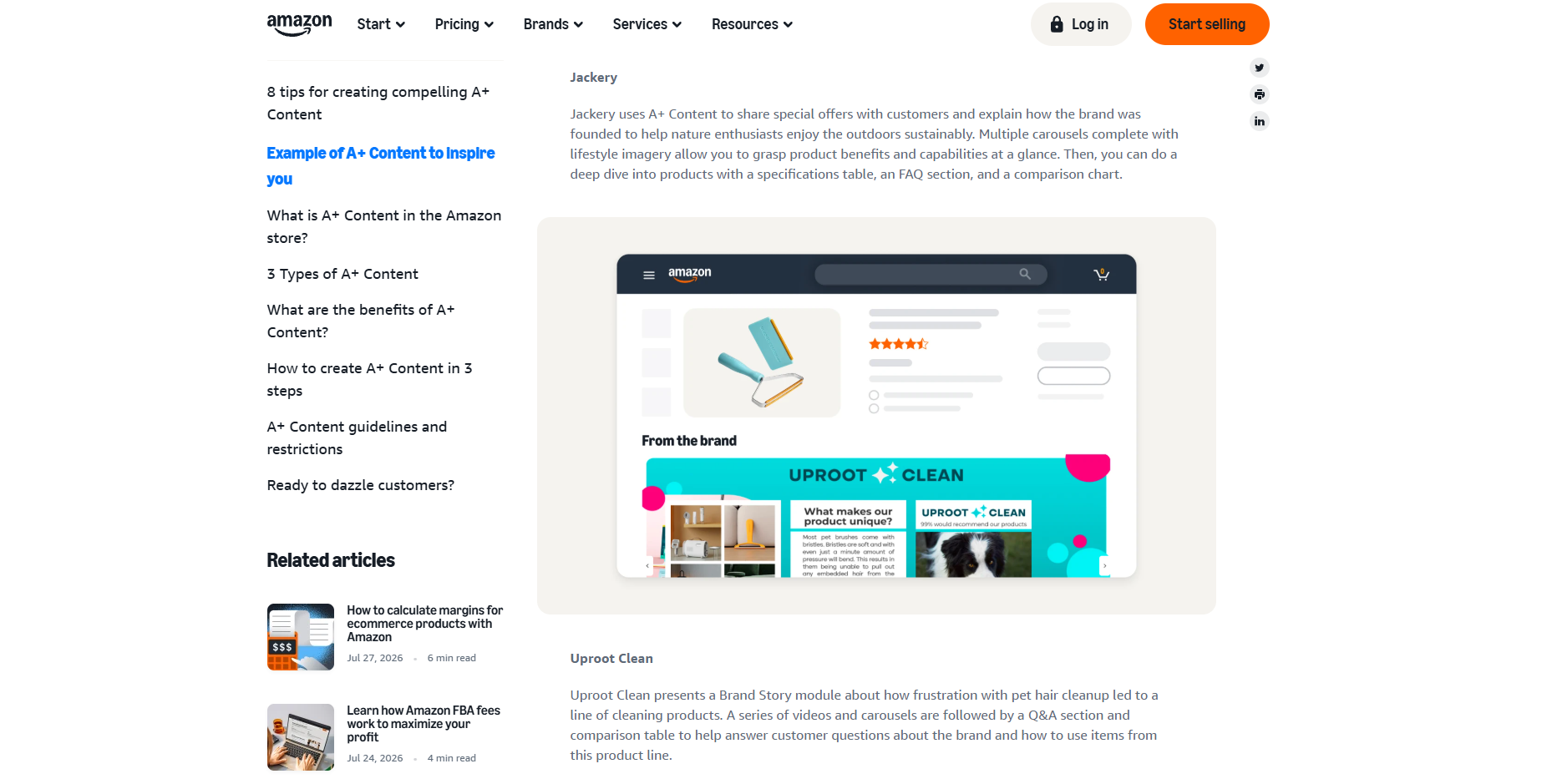
Amazon’s A+ guide highlights three brands as Premium examples. Each one arranges its page a little differently, but all three are built from the same modules the template uses.
Jackery, which makes portable power stations, opens with its founding story. From there, it runs carousels, a specs table, an FAQ, and a comparison chart.
Dokotoo, a clothing brand, leads with video modules and follows with a sizing chart.
Uproot Clean, which makes pet hair removers, starts with a Brand Story and then moves through videos, carousels, Q&A, and a comparison table.
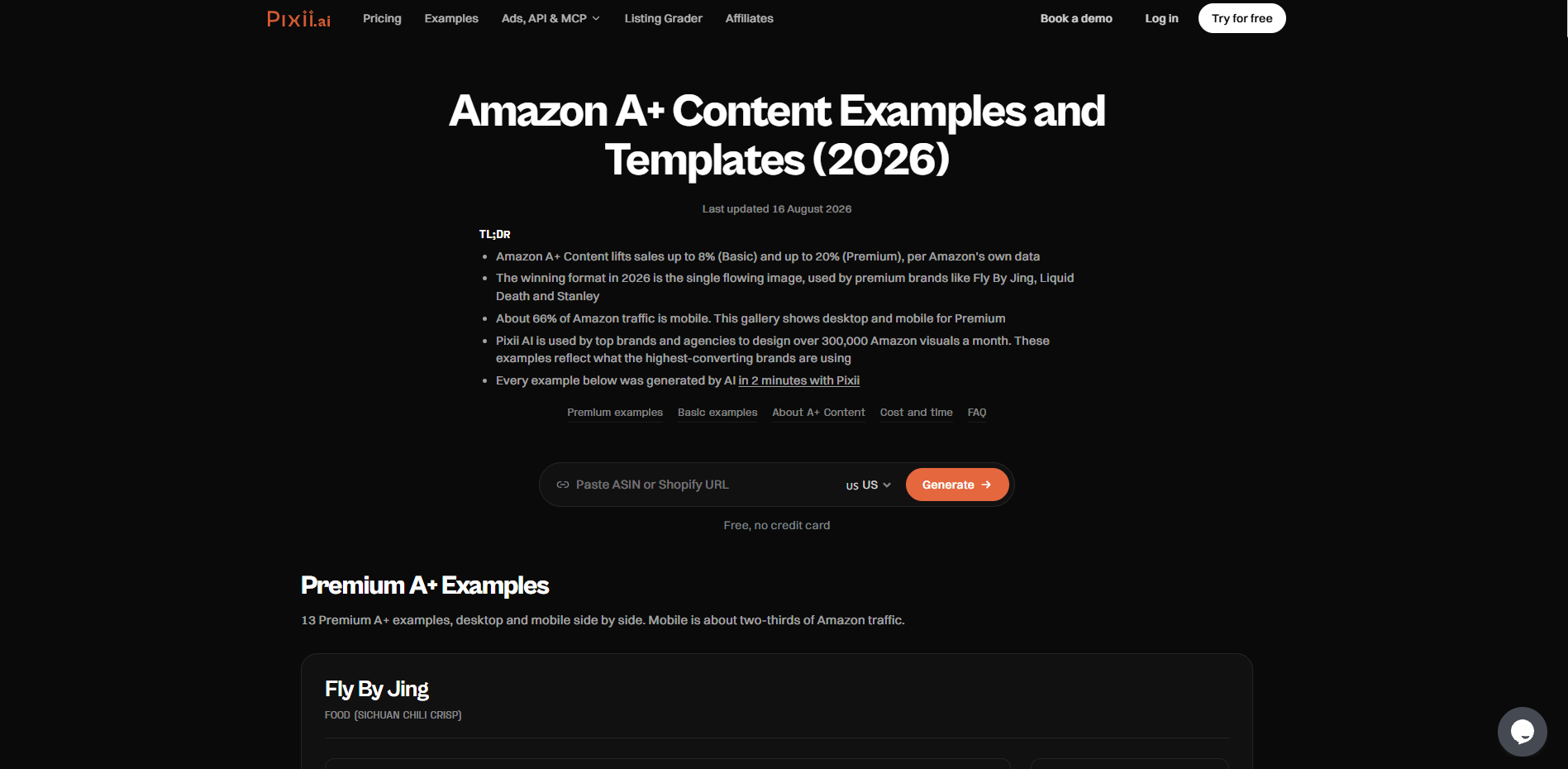
Our own gallery of A+ Content examples shows Premium sets designed for brands including Fly By Jing, Graza, Liquid Death, and Dr. Squatch, with desktop and mobile versions side by side, plus Basic sets for Petcube and Klein Tools.
Look at what the food and beauty examples have in common.
The hero shows the product in a kitchen or a bathroom rather than on white, the benefits are four short claims with four pictures, and the comparison module keeps the shopper inside the brand’s range.
Amazon Premium A+ Content: What You Get and How to Qualify
Premium gives you wider images, 1464 pixels across compared with 970 in Basic. It also adds modules that Basic doesn’t have, like video up to 180 seconds, carousels of up to six panels, and a Q&A block.
There are also hotspots, which let you put up to six clickable callouts on one image. Shoppers tap a feature and read a short note about it.
Amazon says well-built Premium A+ can raise sales by up to 20%. Its one-page Premium summary repeats that figure, but it also says the number isn’t a guarantee of future sales.
To qualify, you need a Brand Story published on every ASIN your brand owns and at least five A+ projects approved in the past 12 months. Amazon’s moderators confirmed those requirements in a Seller Forums thread in June 2026.
In May 2026, some sellers said Premium had switched on for their accounts even though they didn’t meet the requirements. One of them asked whether the rule had changed, and an Amazon moderator said it hadn’t.
So before you plan around Premium, open your A+ Content Manager and check that the option is there.
Premium is free for now. Amazon started offering it to brand owners at no cost in 2022 as a promotion that’s still running. Amazon has said it will give notice and ask you to opt in before any fee applies.
The Pre-Upload Checklist That Stops Rejections
Amazon reviews A+ submissions in up to seven business days, and a rejection sends you to the back of that queue.
Almost every rejection we’ve seen traces to one of the items on this list, all taken from Amazon’s A+ guidelines.
- No pricing, promotions, or discounts. That includes words like affordable, cheap, free, and bonus, and calls to action such as buy now.
- No time-sensitive claims. Now, new, latest, and any holiday reference will bounce. Awards need the certifying body and the year, and nothing older than two years.
- No guarantees, warranties, shipping details, or contact information. No QR codes, no links, and no directions off Amazon.
- No competitor references or comparisons. The comparison chart compares your own ASINs only.
- No best seller, top rated, or number one claims, and no health claims about curing, treating, or preventing a condition.
- One brand logo, images unique to A+, and no reuse of your gallery images. Strings of all-caps text can also trigger a rejection.
- Alt text on every image, up to 100 characters. Amazon requires it on upload and uses it for screen readers, so describe the picture rather than stuffing keywords.
- Tag any AI-generated people. Since July 22, 2026, Amazon requires images and videos containing photorealistic AI-generated people to carry its synthetic performer tag before they go into listings or A+ Content, as reported by GeekSeller.
Amazon’s own guide also allows up to four quotes from well-known publications or public figures, and nothing from anyone else. Customer reviews don’t qualify, however good they are.
How to Create A+ Content on Amazon With the Template
In Seller Central, open Advertising, then A+ Content Manager, and choose Start creating A+ Content. Pick Basic or Premium, name the project, then add the modules in the slot order from the template.
Upload each image at or above the minimum, fill the headline and body fields within their limits, and add alt text to every image. Apply the project to your ASINs, preview desktop and mobile, then submit.
Approval takes up to seven business days, and an approved project publishes within 24 hours. Resubmissions after a rejection go through the same review window, so run the checklist first.
Our guide to A+ best practices goes deeper on the design of each module once the structure is in place.
Where Pixii collapses the steps
We built Pixii so the template arrives already filled in.
Paste an ASIN, and Pixii reads your listing, your reviews, and the competitors next to you in search, then designs seven editable visuals around a short strategy for your buyer in about two minutes.
One click then adds A+ Content, Basic or Premium, with desktop and mobile previews and every module downloaded separately, sliced to the sizes Amazon requires.
You never write a prompt, and you can change any word on any module.
Pixii is trained on roughly 100,000 top-performing Amazon listings, which is where the slot order comes from in the first place. In our own data, strong A+ Content lifts conversion rate by 5 to 10%.
Once one A+ set is right, A+ Clone applies it across every variation in the catalog, the same way Clone handles main and gallery images.
John Aspinall of Aspi put the honest version well. “Pixii gets you from zero to 85%. That’s where the hours get chewed up.” The last stretch, checking claims and tightening copy, is still yours.
Check every design against the rules for your country and category before upload.
Paste your ASIN, and we’ll design your A+ set with desktop and mobile previews, every module sliced to Amazon’s sizes.
FAQs About Amazon A+ Content Templates
Does Amazon Provide A+ Content Templates?
No. Amazon provides modules in A+ Content Manager, with fixed sizes and text limits, and leaves the layout and the order to you. The template here is our day-one order of those modules, with the shopper question each one answers.
We at Pixii generate the full set from an ASIN in one click, pre-sliced to Amazon’s sizes.
What Size Should Amazon A+ Content Images Be?
Basic modules run from 220 by 220 for the four-image block to 970 by 600 for the image header, and Premium full-width modules take 1464 by 600 with a separate 600 by 450 mobile image. Files must be JPG, PNG, or BMP in RGB, under 2 MB, at 72 dpi or higher.
Build at twice the minimum when you can.
How Many Modules Can I Use in A+ Content?
Amazon’s guide allows up to five modules per ASIN on Basic and up to seven on Premium. The template uses all seven on Premium and drops the comparison carousel and the Q&A on Basic. More modules don’t help if each one isn’t answering a different question.
Is Amazon Premium A+ Content Free?
Yes, during a promotional period that Amazon began in 2022 and hasn’t ended. The published criteria are a Brand Story on all brand-owned ASINs and five approved A+ projects in the past 12 months.
Some accounts reported Premium switching on without meeting them in 2026, while Amazon says the requirement still stands.
How Long Does A+ Content Approval Take?
Amazon says review can take up to seven business days, longer during busy periods, and an approved project publishes within 24 hours. A rejection restarts the clock, which is why the pre-upload checklist exists.
Can I Use the Same A+ Content on Multiple ASINs?
Yes. One A+ project can be applied to several ASINs in A+ Content Manager, which is the normal way to cover sizes and colors. In Pixii, A+ Clone takes one approved design and applies it across every variation and product in your catalog with zero prompts.
What Is the Difference Between A+ Content and Brand Story?
A+ Content sells the product and sits below the bullets. Brand Story is a separate carousel in the From the brand section that tells shoppers who you are and links to your store. A published Brand Story is also one of the two criteria for Premium A+.
Get the Whole Template Built From Your ASIN
The slot order, the sizes, and the checklist are enough to build A+ Content by hand this afternoon. Keep them open in Seller Central and work down the table.
If you’d rather skip the afternoon, paste your ASIN into Pixii. You’ll get seven editable visuals in about two minutes, then one click adds Basic or Premium A+ Content sliced to Amazon’s sizes, with the strategy behind each module.
The free trial needs no credit card, and Pixii’s plans show which plans include A+ Content and A+ Clone.